> For the complete documentation index, see [llms.txt](https://manual.sigconsaida.mg.gov.br/llms.txt). Markdown versions of documentation pages are available by appending `.md` to page URLs; this page is available as [Markdown](https://manual.sigconsaida.mg.gov.br/acessos-iniciais-e-gerenciamento/assinar-documentos/bloco-de-assinaturas/cadastrar-novo-bloco.md).
# Cadastrar Novo Bloco
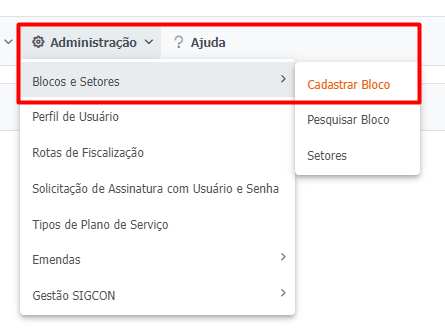
1. Para cadastrar um Bloco de Assinatura de Documentos, acesse o menu `"Administração > Blocos e Setores > Cadastrar Bloco"`:
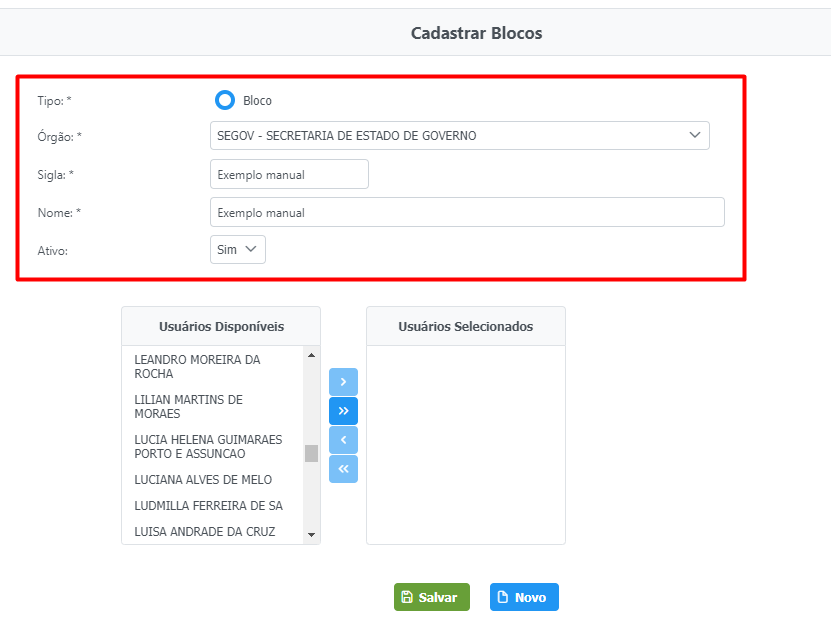
2. Preencha os campos "Tipo", "Órgão", "Sigla", "Nome" e "Ativo".
{% hint style="info" %}
A seleção de **Ativo** ou **Inativo** serve para controle, caso o Bloco de Documentos não esteja totalmente pronto para a assinatura dos usuários selecionados
{% endhint %}
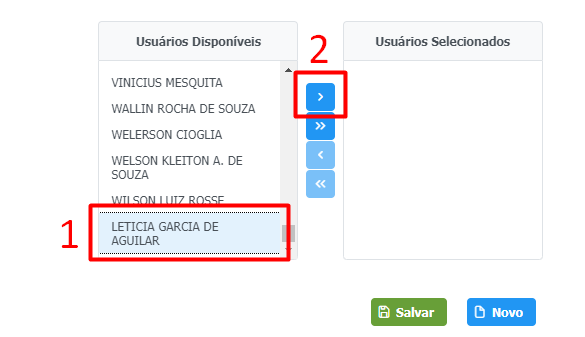
3. Para vincular os usuários ao Bloco de Assinaturas, clique no `nome desejado (1)` e depois na `seta azul (2)` central para inserir o usuário no bloco:
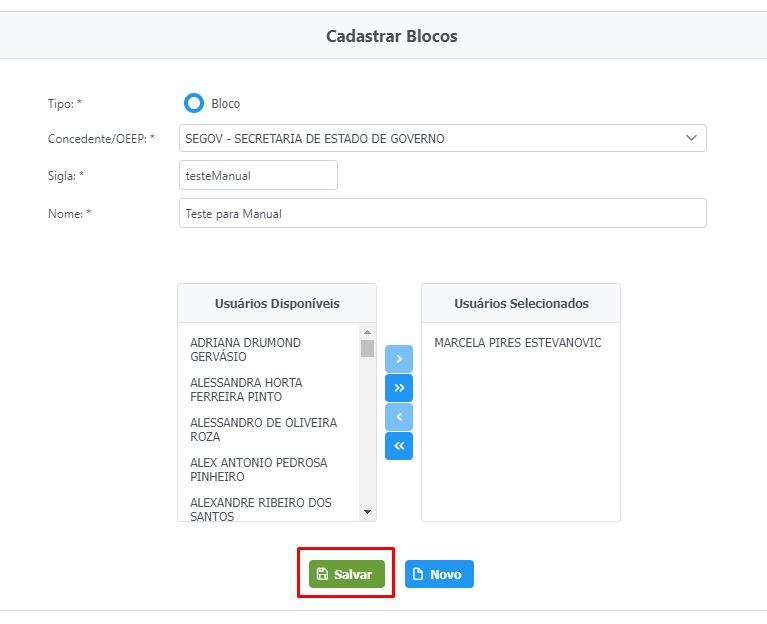
4. Após preencher todos campos corretamente, clique em `"Novo"`: