> For the complete documentation index, see [llms.txt](https://manual.sigconsaida.mg.gov.br/llms.txt). Markdown versions of documentation pages are available by appending `.md` to page URLs; this page is available as [Markdown](https://manual.sigconsaida.mg.gov.br/acessos-iniciais-e-gerenciamento/assinar-documentos/bloco-de-assinaturas/historico-de-alteracoes.md).
# Histórico de Alterações
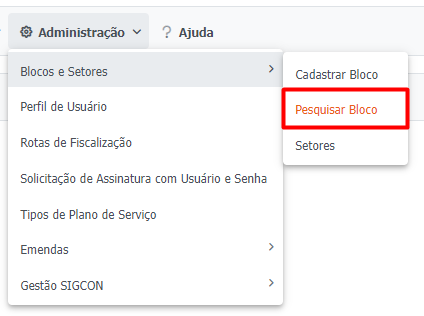
1. Para acessar o Histórico de Assinatura de Documentos, acesse o menu `"Administração > Blocos e Setores > Pesquisar Bloco"`:
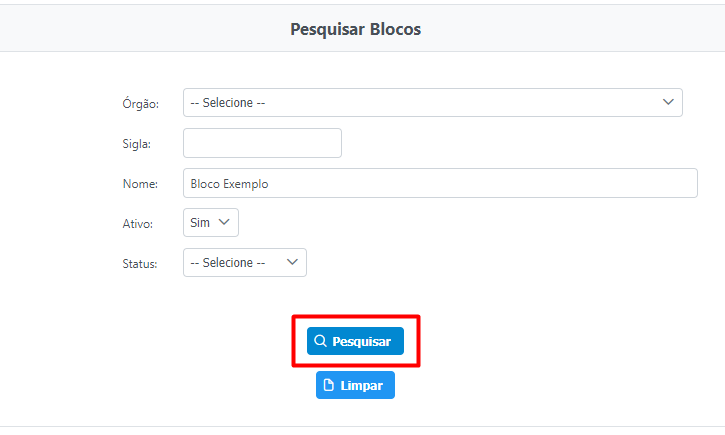
2. Preencha os campos de pesquisa para encontrar o bloco desejado e clique em `"Pesquisar"`:
3. Na **Lista de Blocos Cadastrados** clique em `"Ações"` e em `"Histórico"`: