> For the complete documentation index, see [llms.txt](https://manual.sigconsaida.mg.gov.br/llms.txt). Markdown versions of documentation pages are available by appending `.md` to page URLs; this page is available as [Markdown](https://manual.sigconsaida.mg.gov.br/manual-sigcon-saida/execucao/notificacoes/pesquisar-notificacao.md).
# Pesquisar Notificação
Funcionalidade disponível para usuários internos e externos do sistema
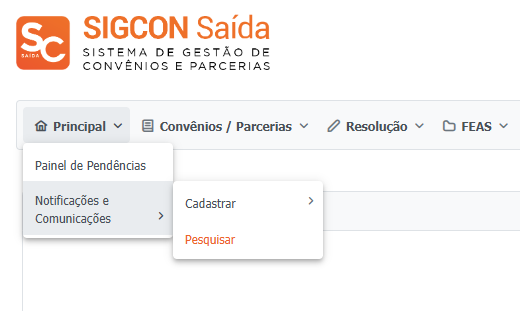
1. No menu "Principal" acessar, "Notificações e Comunicações", depois "Pesquisar":
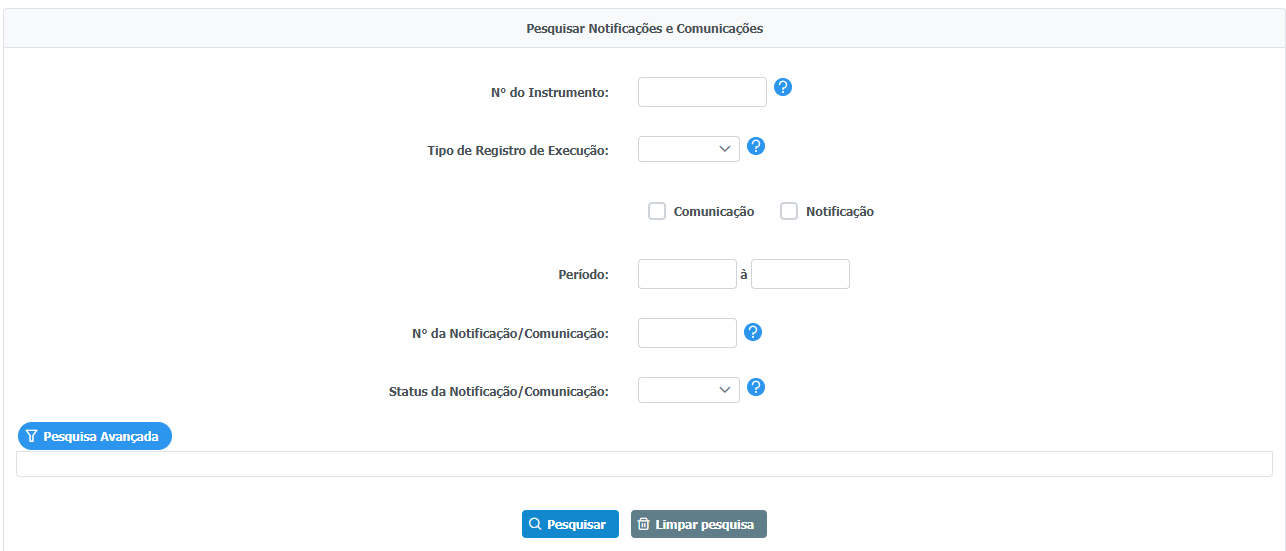
2. Selecione os campos de pesquisa, podendo utilizar a pesquisa avançada para inserir outros filtros:
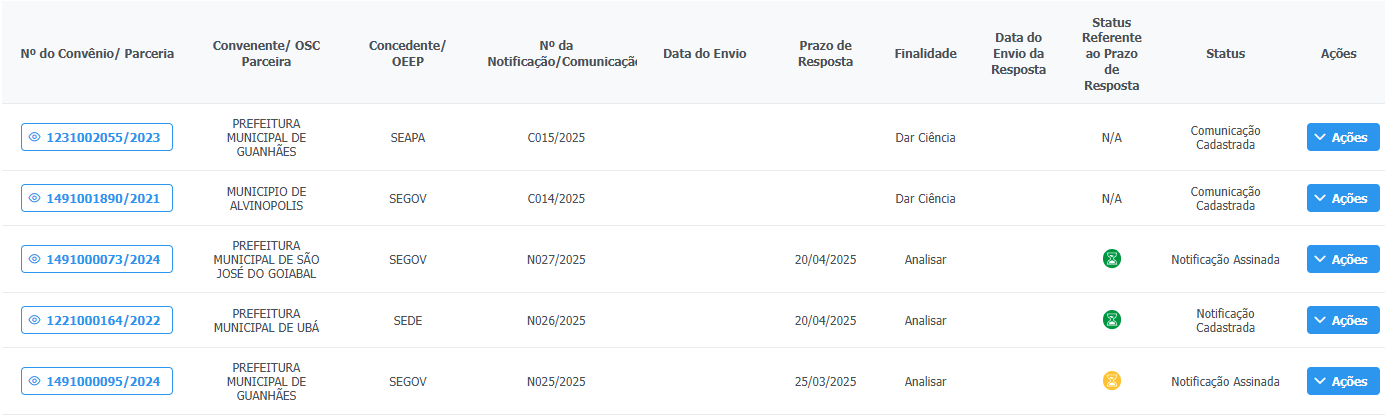
3. O resultado da pesquisa irá trazer as comunicações e notificações registradas:
{% hint style="success" %}
No botão "Ações" estarão disponíveis as ações de "Visualizar/Editar" e a consulta do histórico do registro no botão "Auditoria" para usuários internos e "Dar Ciência" ou "Responder Notificação" para usuários externos para Comunicações e Notificações, respectivamente:
* Usuários Internos:

* Usuários externos:


{% endhint %}